
Items related to RHCSA/RHCE Red Hat Linux Certification Practice Exams...
Synopsis
Publisher's Note: Products purchased from Third Party sellers are not guaranteed by the publisher for quality, authenticity, or access to any online entitlements included with the product.
Don’t Let the Real Test Be Your First Test!
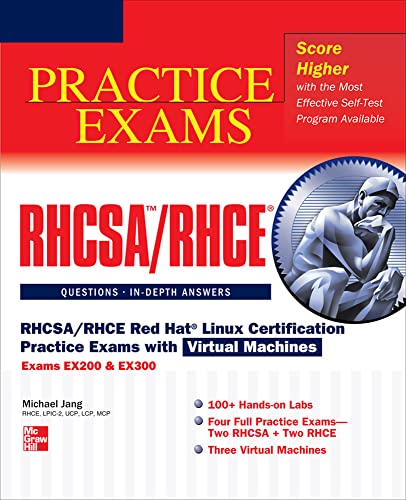
RHCSA/RHCE Red Hat Linux Certification Practice Exams with Virtual Machines (Exams EX200 & EX300) features 100+ hands-on labs, four complete practice exams, and three virtual machines. To help you understand the material, the labs and practice exams are accompanied by in-depth answer explanations. This practical guide covers all official objectives for Exams EX200 and EX300 and is the perfect companion to RHCSA/RHCE Red Hat Linux Certification Study Guide, Sixth Edition.Covers all exam topics, including:
Virtual Machines and Automated Installations • Fundamental Command Line Skills • RHCSA-Level Security Options • The Boot Process • Linux Filesystem Administration • Package Management • User Administration • RHCSA-Level System Administration Tasks • Security • System Services and SELinux • RHCE Administrative Tasks • Electronic Mail Servers • The Apache Web Server • The Samba File Server • More File-Sharing Services • Administrative Services: DNS, FTP, and Logging
Includes three virtual machines preloaded with:
- Two RHCSA practice exams
- Two RHCE practice exams
- 100+ hands-on labs
"synopsis" may belong to another edition of this title.
About the Author
Michael Jang, LCP, MCSE, RHCE is the author of the two previous bestselling editions of RHCE Red Hat Certified Engineer Linux Study Guide as well as author of the new sixth edition, RHCSA/RHCE Red Hat Linux Certification Study Guide, which published in June 2011. He is also the author of CompTIA Linux+ Exam Cram and Sair Linux/GNU Installation and Configuration Exam Cram (Wiley).
Excerpt. © Reprinted by permission. All rights reserved.
RHCSA/RHCE Red Hat Linux Certification Practice Exams with Virtual Machines
(Exams EX200 & EX300)By Michael JangMcGraw-Hill
Copyright © 2013 The McGraw-Hill CompaniesAll right reserved.
ISBN: 978-0-07-180160-7
Contents
Chapter One
Prepare for Red Hat Hands-on CertificationsEXAM OBJECTIVES
The RHCSA and RHCE exams
Basic hardware requirements
Get Red Hat Enterprise Linux
Installation requirements
Installation options
Install virtual machines from the McGraw-Hill Professional Media Center
Configure a physical machine for virtual guests
A default configuration FTP server
A default configuration HTTP server
Self Test
The format of this book and chapter is different from other Practice Exams book in the McGraw-Hill series. Each chapter will include a brief overview of several different objectives on the Red Hat Certified System Administrator (RHCSA) and Red Hat Certified Engineer (RHCE) exams. This chapter starts with a description of the exams. It continues with an overview of the 64-bit hardware required to set up the virtual machine (VM) software covered by the RHCSA exam. It also includes instructions for how to load the preconfigured VMs compressed on the compressed VMs that are available for download from McGraw-Hill Professional Media Center Download web page. For additional download instructions, please see the "About the Download" appendix at the end of this book.
The Red Hat exams are an advanced challenge. While this book provides labs and sample tests to help you prepare for the RHCSA and RHCE exams, it provides minimal explanation of exam objectives. If you want additional information, I encourage you to start with the RHCSA/RHCE Red Hat Linux Certification Study Guide (Exams EX200 & EX300), 6th Edition. In addition, Red Hat offers several courses to help prepare for these exams, as described in the front matter.
To prepare for the Red Hat exams, you need a physical 64-bit system that can support hardware-based virtualization. The objectives for the Red Hat exams specify virtualization. Red Hat's default virtual machine (VM) solution is the Kernel-based Virtual Machine (KVM). Red Hat offers KVM software that can host VMs only on its 64-bit releases. (As options that support "nested" virtualization are not free, they have not been tested for this book.)
In this chapter, you'll set up RHEL 6 on such a 64-bit system, with KVM in place. (Yes, based on a related RHCSA objective, there will be a lab where you'll demonstrate how to install KVM-based software after installation is complete.) You'll then use the compressed virtual machines available on the MHP Media Center download web page. As they're based on the same source code used for RHEL 6, "rebuild" distributions such as the Community Enterprise Operating System (CentOS) and Scientific Linux (SL) should work in the same fashion. In general, most tasks can be performed on the VMs. But there are at least two exceptions when it's better to run a task on the physical system: when you create an installation HTTP/FTP server later in this chapter and when you set up a Virtual Network Computing (VNC) client in Chapter 9. Other labs may also use the physical host system.
For the purpose of this book, I'll run most commands as the Linux administrative user, root. Logging in as the root user is normally discouraged unless you're administering a computer.
However, because the RHCSA and RHCE exams test your administrative skills, it's appropriate to run commands in this book as the root user. But you also need to know how to set up regular users with partial or full administrative privileges.
As with the rest of the book, no guarantees are provided for the downloadable VMs.
All chapters in this book include a brief discussion of relevant exam objectives. Every objective on both the RHCSA and RHCE exams is covered in one or more of the 17 chapters in this book. Three RHCSA objectives are covered in this chapter. Just be aware, Red Hat has been known to modify objectives from time to time, so be sure to review them as you go through this book. As of this writing, the objectives were just moved to the following URLs: www.redhat.com/training/courses/ex200/examobjective and www.redhat.com/training/courses/ex300/examobjective.
The RHCSA and RHCE Exams
The first Red Hat exams were given in 1999. And they've evolved since then. Until 2003, there was actually a multiple-choice component to the RHCE exam. At that time, the three-part exam was 6.5 hours long.
In 2009, Red Hat removed the requirement to install RHEL on a bare-metal system. They've since refocused the requirement for installation on a VM. In addition, there is no longer a separate troubleshooting section on either exam.
The RHCSA was introduced with the release of RHEL 6, as a replacement for the Red Hat Certified Technician (RHCT) exam. The RHCT was a complete subset of the RHCE. The RHCSA is different. Although the topics are closely related, they are separate from those now listed for the RHCE.
The Exam Experience
Red Hat's certification tests are hands-on exams. As such, they are respected throughout the industry as a sign of genuine practical knowledge. When you pass a Red Hat exam, you will stand head and shoulders above the candidate who has passed only a "standard" multiple-choice certification exam.
When time starts, you'll be faced with a live system. You'll be given actual configuration problems associated with the items listed in the exam objectives for each certification. Naturally, this book is dedicated to helping you master the skills associated with those objectives.
While you won't have Internet access during the exam, you will have access to online documentation such as man and info pages as well as documentation in the /usr/share/doc/ directories, assuming appropriate packages are installed.
In addition, Red Hat provides the exam in electronic format. While the basic instructions may be in a local language such as English, the RHCSA and RHCE exams are available in 12 different languages: English, Simplified Chinese, Traditional Chinese, Dutch, French, Italian, Japanese, Korean, Portuguese, Russian, Spanish, and Turkish. (If you're unsure, contact Red Hat training at US 1-866-626-2994, or via www.redhat.com/training/.)
Red Hat also has prep courses for both exams. The outlines for those courses are available from www.redhat.com. While this book is not intended as a substitute for such courses, it is consistent with the outline of those courses. This book covers the objectives associated with each of these exams.
The RHCSA Exam
The RHCSA exam allows you to demonstrate your ability to configure live physical and virtual systems for networking, security, custom file systems, package updates, user management, and more. In essence, the RHCSA exam covers skills required to configure and administer a Linux workstation in the enterprise.
You have two and a half hours to complete the tasks given on the RHCSA exam. You complete the tasks by configuring a live RHEL system. Any changes that are made must survive a reboot. When you've completed the given tasks, the person grading the exam will see if the system is configured to meet the requirements. For example, if you're told to "create, delete, and modify local user accounts," it doesn't matter if the associated configuration file has been modified with the vi editor or the graphical User Manager tool. As long as you don't cheat, it's the results that matter.
Chapters 1 through 9 focus on coverage of the RHCSA exam.
The RHCE Exam
The RHCE exam tests your ability to configure live physical and virtual servers to configure network services such as Apache, vsFTP, the Network File System (NFS), Samba, remote logging, and more. It also tests your ability to handle complex configuration options associated with Security Enhanced Linux (SELinux), firewalls, networking, and more. In essence, if you pass the RHCE exam, hiring managers will know that you're qualified to help manage their enterprises of Linux systems.
The RHCE exam lasts two hours. When you sit down to take the exam, you are given tasks to perform on a live RHEL system. As with the RHCSA, any changes that are made must survive a reboot. In any case, it doesn't matter if you've configured the associated configuration file with the nano editor or a GUI tool. As long as you don't cheat, it's the results that matter.
The topics in the Red Hat preparation courses in a few areas go beyond those listed in the Red Hat Exam Preparation Guide. While such topics are not currently part of the exam, they may be included in future versions of the Red Hat exams.
Although the objectives for the RHCE exam are covered in Chapters 10 through 17, you should also read this chapter to install the downloadable VMs for the test network.
Evolving Requirements
The requirements for the Red Hat exams are subject to change. You can see that in the differences between the RHCT and the RHCSA. You can see that in the changes to the exam format, where bare-metal installations are no longer required. In fact, that change happened over two years into the life of RHEL 5. Changes also occurred in the first month after RHEL 6 was released. So when you're preparing for the RHCSA and/or RHCE exams, watch the associated exam objectives carefully. In addition, Red Hat announced its most recent format changes through the WordPress blog publishing site, at http://redhatcertification.wordpress.com/.
Basic Hardware Requirements
Now it's time to explore in detail the hardware that Red Hat Enterprise Linux can handle. While some manufacturers now include their own Linux hardware drivers, most Linux hardware support comes from third parties, starting with the work of volunteers. Fortunately, there is a vast community of Linux users, many of whom produce drivers for Linux and distribute them freely on the Internet. If a certain piece of hardware is popular, you can be certain that Linux support for that piece of hardware will pop up somewhere on the Internet and will be incorporated into various Linux distributions, including Red Hat Enterprise Linux.
Hardware Compatibility
If you only have 32-bit systems available, be prepared to spend some money. KVM is the default VM solution for RHEL 6. Red Hat has built KVM server packages only for 64-bit systems. Fortunately, most PCs and servers sold today meet this requirement. Even the lowly Intel i3 CPU can handle 64-bit operating systems. There are even 64-bit versions of the Intel Atom CPU common on netbook systems. Similar comparisons can be made for CPUs from Advanced Micro Devices. If you're planning to configure VMs on RHEL 6, be sure to choose an architecture that supports hardware-assisted virtualization, along with Basic Input/Output System (BIOS) or Universal Extensible Firmware Interface (UEFI) menu options that allow you to activate that feature. Such a configuration, when active, will have either the vmx (Intel) or svm (AMD) flag in the /proc/cpuinfo file.
In any case, you shouldn't assume Linux will install or run flawlessly on any computer, especially if the system in question is a state-of-the-art laptop computer. (And you do need a 64-bit system to prepare for the Red Hat exams.) Laptops are often designed with proprietary configurations that work with Linux only after some reverse engineering. For example, when I installed RHEL 6 on a brand-name business laptop built in 2010, I had to do a bit of extra work to make the wireless adapter work with RHEL 6. (These issues were addressed by the time I installed CentOS-6 on my laptop in early 2012.)
Even when a manufacturer creates a device for a CPU platform, it may not work with Linux. Therefore, it's important to know the basic architecture of a computer. But strictly speaking, if you want hardware compatible with and supported by Red Hat, consult the hardware compatibility list at http://hardware.redhat.com/hcl/.
RAM Requirements
This chapter assumes that you'll install RHEL 6 four times on the same system: once on the physical host, and once each on the three virtual machines. Although 4GB is a reasonable minimum for such a configuration, I've written this book on a laptop with 8GB of RAM.
But the RAM requirements for individual systems aren't that great. While it's possible to run RHEL 6 on less, the RAM memory requirements are driven by the needs of the Red Hat installer. For basic Intel/AMD-based 32- and 64-bit architectures, Red Hat officially requires 512MB of RAM and recommends at least 1GB of RAM per system. But don't forget to add it all together. Take the RAM for the three VMs, and then add the RAM required for the physical system.
Hard Drive Options
Before a computer can start Linux, the BIOS or UEFI has to recognize the hard drives that are connected to the system. It should also be able to read the Master Boot Record (MBR), the first 512 bytes on that drive. When Linux is installed, the MBR on one of the first two hard drives should include a pointer to the bootloader. The BIOS or UEFI can then set up and initialize that hard drive, read the MBR, and then read the GRUB bootloader. The system can read the contents of GRUB and then load Linux boot files as specified in the associated configuration file.
Get Red Hat Enterprise Linux
The RHCSA and RHCE exams are based on your knowledge of RHEL. Some of the requirements are based on RHEL software that has been built only for "standard" 64-bit computers. To get RHEL 6, you can go in one of two basic directions. You can get an official copy of RHEL 6, or you can download an option known as a "rebuild" distribution.
To get an official copy of RHEL, you need a subscription. That costs money. But the benefit is that you get a copy of the operating system that's actually used for the Red Hat exams. While trial subscriptions and academic discounts are available, those options may take more effort than the alternative.
The Point Releases Don't Matter
Red Hat releases "point" updates to all of its enterprise Linux versions. There is no significant difference among these releases. All RHEL 6 releases include kernel version 2.6.32. All commands, tools, and utilities have the same intended functionality throughout the RHEL 6 lifecycle. While third-party software such as the Firefox web browser may change, that has no effect on the Red Hat exam objectives.
So if you can't get the latest point release of RHEL 6 or a rebuild distribution, don't worry about it.
The Choices
If you don't need the same "look and feel" as RHEL to prepare for an exam, third-party rebuilds such as CentOS and Scientific Linux are available. As such, "rebuilds" use the same source code as RHEL, and they are functionally almost identical to RHEL. They've been built from the source code released by Red Hat under open source licenses. They're different in three basic ways:
* No Red Hat trademarks. It does mean that a rebuild distribution has a different "look" than RHEL.
* No RHN. That's not a problem, as the associated administrative commands work in essentially the same way for rebuild distributions without access to the RHN.
* Additional files in the /etc/yum.repos.d directory to configure connections to remote repositories.
With those limits in mind, rebuild distributions such as CentOS 6 and Scientific Linux 6 work in the same way as RHEL 6. They have the same file structure as RHEL 6. They include the same tools, which function identically to how they function in a genuine copy of RHEL 6.
While it's true that Fedora is a testbed for RHEL, the software as built for RHEL 6 has a different look, a different feel, and, in many cases, a different functionality. Students who use Fedora to study for Red Hat exams may be confused (and more) if they see genuine RHEL 6 systems for the first time on an exam.
Purchase an RHEL 6 Subscription
Different subscriptions are available for desktops, workstations, and servers. While the RHCSA is focused on workstations, it also requires the configuration of HTTP and FTP servers. Of course, the RHCE also requires the configuration of a variety of server services. So most readers need a server subscription.
A variety of server subscriptions are available, depending on the number of CPU sockets and virtual guests. A system associated with a regular RHEL Server subscription is limited to two CPU sockets and one virtual guest. Each socket can have a multicore CPU. Significant discounts for academic users are available. In contrast, Desktop and Workstation subscriptions do not include support for virtual guests.
(Continues...)
Excerpted from RHCSA/RHCE Red Hat Linux Certification Practice Exams with Virtual Machinesby Michael Jang Copyright © 2013 by The McGraw-Hill Companies. Excerpted by permission of McGraw-Hill. All rights reserved. No part of this excerpt may be reproduced or reprinted without permission in writing from the publisher.
Excerpts are provided by Dial-A-Book Inc. solely for the personal use of visitors to this web site.
"About this title" may belong to another edition of this title.
Search results for RHCSA/RHCE Red Hat Linux Certification Practice Exams...

Stock Image
RHCSA/RHCE Red Hat Linux Certification Practice Exams with Virtual Machines (Exams EX200 & EX300)
Seller: World of Books (was SecondSale), Montgomery, IL, U.S.A.
Seller rating 5 out of 5 stars

Condition: Good. Item in good condition. Textbooks may not include supplemental items i.e. CDs, access codes etc. Seller Inventory # 00101540272
Stock Image
RHCSA/RHCE Red Hat Linux Certification Practice Exams with Virtual Machines (Exams EX200 & EX300)
Seller: World of Books (was SecondSale), Montgomery, IL, U.S.A.
Seller rating 5 out of 5 stars
Condition: Very Good. Item in very good condition! Textbooks may not include supplemental items i.e. CDs, access codes etc. Seller Inventory # 00104719942
Stock Image
RHCSA/RHCE Red Hat Linux Certification Practice Exams with Virtual Machines: Exams EX200 & EX300 [With DVD]
Seller: ThriftBooks-Dallas, Dallas, TX, U.S.A.
Seller rating 5 out of 5 stars
Hardcover. Condition: As New. No Jacket. Pages are clean and are not marred by notes or folds of any kind. ~ ThriftBooks: Read More, Spend Less. Seller Inventory # G007180160XI2N00
Stock Image
RHCSA/RHCE Red Hat Linux Certification Practice Exams with Virtual Machines: Exams EX200 & EX300 [With DVD]
Seller: ThriftBooks-Atlanta, AUSTELL, GA, U.S.A.
Seller rating 5 out of 5 stars
Hardcover. Condition: As New. No Jacket. Pages are clean and are not marred by notes or folds of any kind. ~ ThriftBooks: Read More, Spend Less. Seller Inventory # G007180160XI2N00
Stock Image
RHCSA/RHCE Red Hat Linux Certification Practice Exams with Virtual Machines: Exams EX200 & EX300 [With DVD]
Seller: ThriftBooks-Atlanta, AUSTELL, GA, U.S.A.
Seller rating 5 out of 5 stars
Hardcover. Condition: Very Good. No Jacket. May have limited writing in cover pages. Pages are unmarked. ~ ThriftBooks: Read More, Spend Less. Seller Inventory # G007180160XI4N00
Seller Image
RHCSA/RHCE Red Hat Linux Certification Practice Exams with Virtual Machines (Exams EX200 & EX300) (CERTIFICATION & CAREER - OMG)
Seller: WeBuyBooks, Rossendale, LANCS, United Kingdom
Seller rating 5 out of 5 stars
Condition: Good. Most items will be dispatched the same or the next working day. A copy that has been read but remains in clean condition. All of the pages are intact and the cover is intact and the spine may show signs of wear. The book may have minor markings which are not specifically mentioned. Seller Inventory # rev8228993679
Buy Used
US$ 19.99
US$ 8.95 shipping
Ships from United Kingdom to U.S.A.
Ships from United Kingdom to U.S.A.
Quantity: 1 available
Stock Image
RHCSA/RHCE Red Hat Linux Certification Practice Exams with Virtual Machines (Exams EX200 EX300)
Seller: GoldBooks, Denver, CO, U.S.A.
Seller rating 5 out of 5 stars
Paperback. Condition: new. New Copy. Customer Service Guaranteed. Seller Inventory # 39U71_30_007180160X
Stock Image
RHCSA/RHCE Red Hat Linux Certification Practice Exams with Virtual Machines (Exams EX200 & EX300)
Seller: MatSamstore, Chantilly, VA, U.S.A.
Seller rating 4 out of 5 stars

Condition: New. Seller Inventory # MN_4.8M_07-10-26_H0002B2A
Stock Image
RHCSA/RHCE Red Hat Linux Certification Practice Exams with Virtual Machines, Exams EX200 & EX300
Seller: Books Puddle, New York, NY, U.S.A.
Seller rating 4 out of 5 stars
Condition: Used. pp. 320 1st Edition. Seller Inventory # 2642992969
Stock Image
RHCSA/RHCE Red Hat Linux Certification Practice Exams with Virtual Machines, Exams EX200 & EX300
Seller: Majestic Books, Hounslow, United Kingdom
Seller rating 4 out of 5 stars
Condition: Used. pp. 320. Seller Inventory # 48741014
Buy Used
US$ 43.98
US$ 8.68 shipping
Ships from United Kingdom to U.S.A.
Ships from United Kingdom to U.S.A.
Quantity: 1 available