
Items related to My iPad 2: Covers Ios 4.3 (My...series)
Synopsis
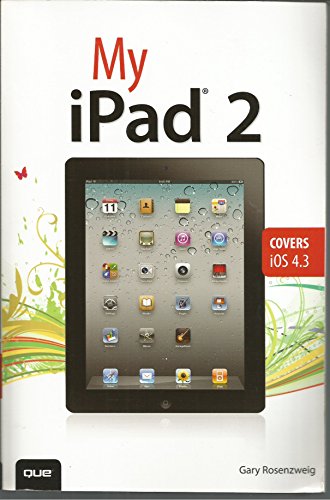
Provides information on the features of the iPad 2 with step-by-step instructions covering such topics as connecting to a wi-fi and 3G network, downloading apps, creating documents and spreadsheets, building and displaying presentations, using email, andwatching movies.
"synopsis" may belong to another edition of this title.
About the Author
Gary Rosenzweig is an Internet entrepreneur, software developer, and technology writer.He runs CleverMedia, Inc., which produces websites, computer games, and podcasts. CleverMedia’s largest site,MacMost.com, features video tutorials for Apple enthusiasts. It includes many videos on using Macs, iPhones, and iPads. Gary has written numerous computer books, including ActionScript 3.0 Game Programming University, MacMost.com Guide to Switching to the Mac, and Special Edition Using Director MX.
Gary lives in Denver, Colorado, with his wife,Debby, and daughter, Luna. He has a computer science degree from Drexel University and a master’s degree in journalism from the University of North Carolina at Chapel Hill.
Website: http://garyrosenzweig.com
Twitter: http://twitter.com/rosenz
More iPad Tutorials and Book Updates: http://macmost.com/ipadguide/
.From the Back Cover
Covers iOS 4.3
Step-by-step instructions with callouts to iPad 2 photos that show you exactly what to do.
Help when you run into iPad 2 problems or limitations.
Tips and Notes to help you get the most from your iPad 2.
Full-color, step-by-step tasks walk you through getting and keeping your iPad 2 working just the way you want. Learn how to:
• Connect your iPad to your Wi-Fi network and 3G networks
• Take video with the front and rear camera
• Video chat with your friends
• Stream audio and video to Apple TV and other devices
• Synchronize data between your computer and iPad
• Watch movies, TV shows, YouTube, or home videos
• Surf the Web and email
• Download apps to make your iPad even more useful
• Create documents and spreadsheets
• Build and display presentations
• Find locations and get directions
• Find the best games
• Connect keyboards, cameras, and external displays
"About this title" may belong to another edition of this title.
Search results for My iPad 2: Covers Ios 4.3 (My...series)

Stock Image
My iPad 2 (covers iOS 4.3) (2nd Edition)
Seller: Wonder Book, Frederick, MD, U.S.A.
Seller rating 5 out of 5 stars

Condition: Very Good. Very Good condition. 2nd edition. A copy that may have a few cosmetic defects. May also contain light spine creasing or a few markings such as an owner's name, short gifter's inscription or light stamp. Seller Inventory # P03K-00173
Stock Image
My iPad 2 (covers iOS 4.3) (2nd Edition)
Seller: Wonder Book, Frederick, MD, U.S.A.
Seller rating 5 out of 5 stars
Condition: As New. Like New condition. 2nd edition. A near perfect copy that may have very minor cosmetic defects. Seller Inventory # A05K-01264
Stock Image
My iPad
Published by
Pearson Education, Limited, 2011
ISBN 10: 0789741164
ISBN 13: 9780789741165
Used
Softcover
Seller: Better World Books, Mishawaka, IN, U.S.A.
Seller rating 5 out of 5 stars
Condition: Good. Former library copy. Pages intact with minimal writing/highlighting. The binding may be loose and creased. Dust jackets/supplements are not included. Includes library markings. Stock photo provided. Product includes identifying sticker. Better World Books: Buy Books. Do Good. Seller Inventory # 2488443-6
Stock Image
My iPad 2 (covers iOS 4.3) (My.series)
Seller: AwesomeBooks, Wallingford, United Kingdom
Seller rating 5 out of 5 stars
Paperback. Condition: Very Good. My iPad 2 (covers iOS 4.3) (My.series) This book is in very good condition and will be shipped within 24 hours of ordering. The cover may have some limited signs of wear but the pages are clean, intact and the spine remains undamaged. This book has clearly been well maintained and looked after thus far. Money back guarantee if you are not satisfied. See all our books here, order more than 1 book and get discounted shipping. Seller Inventory # 7719-9780789741165
Buy Used
US$ 3.20
US$ 5.45 shipping
Ships from United Kingdom to U.S.A.
Ships from United Kingdom to U.S.A.
Quantity: 2 available
Stock Image
My iPad 2: Covers Ios 4.3 (My.series)
Seller: HPB-Red, Dallas, TX, U.S.A.
Seller rating 5 out of 5 stars
paperback. Condition: Good. Connecting readers with great books since 1972! Used textbooks may not include companion materials such as access codes, etc. May have some wear or writing/highlighting. We ship orders daily and Customer Service is our top priority! Seller Inventory # S_473742175
Seller Image
My iPad 2: Covers Ios 4.3 (My.series)
Seller: Goodwill of Colorado, COLORADO SPRINGS, CO, U.S.A.
Seller rating 5 out of 5 stars
Condition: very_good. Item may have minor cosmetic defects marks, wears, cuts, bends, crushes on the cover, spine, pages or dust cover. Shrink wrap, dust covers, or boxed set case may be missing. Item may contain remainder marks on outside edges, which should be noted in Product Details. Item may be missing bundled media. Seller Inventory # COLV.0789741164.VG
Stock Image
My iPad 2: Covers Ios 4.3 (My.series)
Seller: Books From California, Simi Valley, CA, U.S.A.
Seller rating 4 out of 5 stars

paperback. Condition: Good. minor wear and creasing. Seller Inventory # mon0003404532
Seller Image
My iPad 2 (covers iOS 4.3) (My.series)
Seller: WeBuyBooks, Rossendale, LANCS, United Kingdom
Seller rating 5 out of 5 stars
paperback. Condition: Like New. Most items will be dispatched the same or the next working day. An apparently unread copy in perfect condition. Dust cover is intact with no nicks or tears. Spine has no signs of creasing. Pages are clean and not marred by notes or folds of any kind. Seller Inventory # rev4961983656
Buy Used
US$ 1.35
US$ 9.89 shipping
Ships from United Kingdom to U.S.A.
Ships from United Kingdom to U.S.A.
Quantity: 1 available
Stock Image
My iPad 2 (covers IOS 4.3)
Seller: Reuseabook, Gloucester, GLOS, United Kingdom
Seller rating 5 out of 5 stars
Paperback. Condition: Used; Good. Dispatched, from the UK, within 48 hours of ordering. This book is in good condition but will show signs of previous ownership. Please expect some creasing to the spine and/or minor damage to the cover. Seller Inventory # CHL995587
Buy Used
US$ 3.54
US$ 9.25 shipping
Ships from United Kingdom to U.S.A.
Ships from United Kingdom to U.S.A.
Quantity: 1 available
Stock Image
My iPad 2 (covers iOS 4.3) (My.series)
Seller: Bahamut Media, Reading, United Kingdom
Seller rating 4 out of 5 stars
Paperback. Condition: Very Good. This book is in very good condition and will be shipped within 24 hours of ordering. The cover may have some limited signs of wear but the pages are clean, intact and the spine remains undamaged. This book has clearly been well maintained and looked after thus far. Money back guarantee if you are not satisfied. See all our books here, order more than 1 book and get discounted shipping. Seller Inventory # 6545-9780789741165
Buy Used
US$ 3.82
US$ 9.23 shipping
Ships from United Kingdom to U.S.A.
Ships from United Kingdom to U.S.A.
Quantity: 2 available