
Items related to My iPad (My...series)
Synopsis
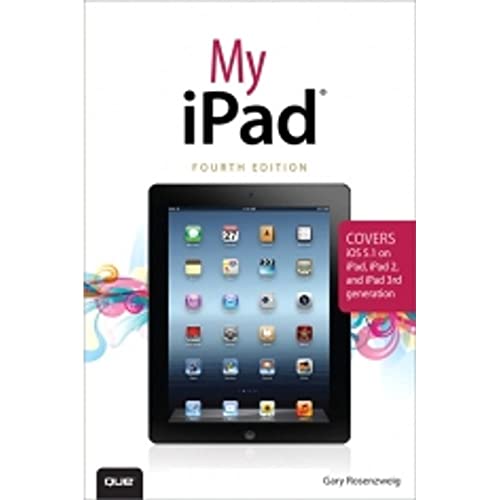
My iPad, 4/e, is the perfect guide to help you get the most out of your iPad. It features task-based coverage with full-color images of pre-installed iPad apps to enable you to manage the content on your iPad. Easy to follow, step-by-step tasks show you how to find and purchase additional applications from the App Store, such as Pages, Numbers, Keynote, iMovie, iPhoto and more. In addition, you receive expert advice on topics such as customizing settings, updating and running apps, setting up networking and email, surfing the web, using peripheral devices, editing photos with iPhoto and video with iMovie, managing music, using the new Dictation features (iPad 3rd gen only), video calls using FaceTime and Skype, and much more!
This edition has been updated to include coverage of the latest iPad operating system - iOS 5.1 - running on any iPad model, including the new 3rd generation iPad with 4G LTE.
"synopsis" may belong to another edition of this title.
About the Author
Gary Rosenzweig is an Internet entrepreneur, software developer, and technology writer. He runs CleverMedia, Inc., which produces websites, computer games, apps, and podcasts. CleverMedia’s largest site, MacMost.com, features video tutorials for Apple enthusiasts. It includes many videos on using Macs, iPhones, and iPads.
Gary has written numerous computer books, including ActionScript 3.0 Game Programming University, MacMost.com Guide to Switching to the Mac, and Special Edition Using Director MX.
Gary lives in Denver, Colorado, with his wife, Debby, and daughter, Luna. He has a computer science degree from Drexel University and a master’s degree in journalism from the University of North Carolina at Chapel Hill.
Website: http://garyrosenzweig.com ; Twitter: http://twitter.com/rosenz
From the Back Cover
Covers iOS 5.1 on iPad, iPad 2, and iPad 3rd generation
Step-by-step instructions with callouts to iPad photos that show you exactly what to do.
Help when you run into iPad problems or limitations.
Tips and Notes to help you get the most from your iPad.
Full-color, step-by-step tasks walk you through getting and keeping your iPad working just the way you want.
Learn how to:
Connect your iPad to your Wi-Fi and 3G/4G LTE networks
Record and edit video using iMovie for iPad
Take photos, and then edit them using iPhoto for iPad
Video chat with your friends using Skype and FaceTime
Stream audio and video to Apple TV and other devices
Use Dictation to create notes, emails, text messages, search the Internet, and more
Use iCloud to synchronize data between your devices
Watch movies, TV shows, YouTube, or home videos
Surf the Web, and send and receive email
Download apps to make your iPad even more useful
Manage your contacts, and then connect with others using Messaging
Stay organized with the Calendar app
Use Pages and Numbers to create documents and spreadsheets
Use Keynote to build and display presentations
"About this title" may belong to another edition of this title.
Search results for My iPad (My...series)

Stock Image
My iPad (My.series)
Seller: World of Books (was SecondSale), Montgomery, IL, U.S.A.
Seller rating 5 out of 5 stars

Condition: Good. Item in good condition. Textbooks may not include supplemental items i.e. CDs, access codes etc. Seller Inventory # 00105521389
Seller Image
My iPad (My.series)
Seller: Greenworld Books, Arlington, TX, U.S.A.
Seller rating 5 out of 5 stars
Condition: like_new. Fast Free Shipping â" Excellent condition book with clean cover and pages. Barely handled, with minimal wear. An outstanding copy, close to enjoy! Seller Inventory # GWV.0789749661.LN
Seller Image
My iPad (My.series)
Seller: Zoom Books Company, Lynden, WA, U.S.A.
Seller rating 5 out of 5 stars
Condition: very_good. Book is in very good condition and may include minimal underlining highlighting. The book can also include "From the library of" labels. May not contain miscellaneous items toys, dvds, etc. . We offer 100% money back guarantee and 24 7 customer service. Seller Inventory # ZBV.0789749661.VG
Stock Image
My iPad
Published by
Pearson Education, Limited, 2012
ISBN 10: 0789749661
ISBN 13: 9780789749666
Used
Softcover
Seller: Better World Books: West, Reno, NV, U.S.A.
Seller rating 5 out of 5 stars
Condition: Very Good. 4th Edition. Pages intact with possible writing/highlighting. Binding strong with minor wear. Dust jackets/supplements may not be included. Stock photo provided. Product includes identifying sticker. Better World Books: Buy Books. Do Good. Seller Inventory # 12402462-75
Stock Image
My iPad
Published by
Pearson Education, Limited, 2012
ISBN 10: 0789749661
ISBN 13: 9780789749666
Used
Softcover
Seller: Better World Books, Mishawaka, IN, U.S.A.
Seller rating 5 out of 5 stars
Condition: Good. 4th Edition. Pages intact with minimal writing/highlighting. The binding may be loose and creased. Dust jackets/supplements are not included. Stock photo provided. Product includes identifying sticker. Better World Books: Buy Books. Do Good. Seller Inventory # 901545-6
Stock Image
My iPad (My.series)
Seller: Wonder Book, Frederick, MD, U.S.A.
Seller rating 5 out of 5 stars
Condition: Very Good. Very Good condition. 4th edition. A copy that may have a few cosmetic defects. May also contain light spine creasing or a few markings such as an owner's name, short gifter's inscription or light stamp. Seller Inventory # I06D-01178
Stock Image
My iPad (My.series)
Seller: Wonder Book, Frederick, MD, U.S.A.
Seller rating 5 out of 5 stars
Condition: As New. Like New condition. 4th edition. A near perfect copy that may have very minor cosmetic defects. Seller Inventory # T07A-04444
Stock Image
My iPad (covers iOS 5.1 on iPad, iPad 2, and iPad 3rd gen)
Seller: World of Books Inc, Montgomery, IL, U.S.A.
Seller rating 4 out of 5 stars

Paperback. Condition: Good. My iPad, 4/e, is the perfect guide to help you get the most out of your iPad. It features task-based coverage with full-color images of pre-installed iPad apps to enable you to manage the content on your iPad. Easy to follow, step-by-step tasks show you how to find and purchase additional applications from the App Store, such as Pages, Numbers, Keynote, iMovie, iPhoto and more. In addition, you receive expert advice on topics such as customizing settings, updating and running apps, setting up networking and email, surfing the web, using peripheral devices, editing photos with iPhoto and video with iMovie, managing music, using the new Dictation features (iPad 3rd gen only), video calls using FaceTime and Skype, and much more! This edition has been updated to include coverage of the latest iPad operating system - iOS 5.1 - running on any iPad model, including the new 3rd generation iPad with 4G LTE. Seller Inventory # CIN0789749661G
Stock Image
My iPad (My.series)
Seller: ThriftBooks-Atlanta, AUSTELL, GA, U.S.A.
Seller rating 5 out of 5 stars
Paperback. Condition: Fair. No Jacket. Readable copy. Pages may have considerable notes/highlighting. ~ ThriftBooks: Read More, Spend Less. Seller Inventory # G0789749661I5N00
Stock Image
My iPad (covers iOS 5.1 on iPad, iPad 2, and iPad 3rd gen)
Seller: AwesomeBooks, Wallingford, United Kingdom
Seller rating 5 out of 5 stars
Condition: Very Good. This book is in very good condition and will be shipped within 24 hours of ordering. The cover may have some limited signs of wear but the pages are clean, intact and the spine remains undamaged. This book has clearly been well maintained and looked after thus far. Money back guarantee if you are not satisfied. See all our books here, order more than 1 book and get discounted shipping. . Seller Inventory # 7719-9780789749666
Buy Used
US$ 3.61
US$ 5.45 shipping
Ships from United Kingdom to U.S.A.
Ships from United Kingdom to U.S.A.
Quantity: 2 available