
Items related to How to Use Microsoft Publisher 97 for Windows (How...
Synopsis
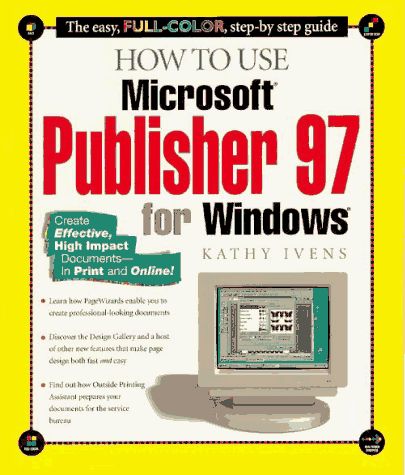
Employs a graphical approach that demonstrates Publisher 97's newest and most relevant features, covering such advanced applications as sound objects and using Publisher to create Web pages. Original. (Beginner).
"synopsis" may belong to another edition of this title.
Review
This full-color guide targets beginning users of Microsoft Publisher 97, the premiere low-end desktop publishing package. Kathy Ivens covers all of the elemental aspects of the software, such as creating publications, editing and formatting text, and adding graphics to your publications. She also provides a thorough introduction to working with advanced text and graphics using such features as text frames, special characters, layers, watermarks, tables, and OLE objects. Publisher's usability enhancements such as the Design Gallery, PageWizard, and Design Checker are covered, and Ivens also teaches about performing mail merges and printing, and shows how to create a variety of documents, including posters, banners, forms, business cards, and Web pages. Colorful graphics showing the various stages of each project and tips on design issues and shortcuts can be found throughout the book.
From the Publisher
Desktop publishing has never been easier! Double-page spreads include step-by-step instructions and illustrations of each goal and finished product so readers can see as they go. Coves the new features of Publisher including: Page Wizards, Design Gallery, intelligent tools, background fixes, printing-service processes, and a redesigned Help system. - Try-It sections let you practice what you've learned
- Colorful graphics and step-by-step instructions make learning this new version easy and fun
- Creating newsletters, brochures, and marketing material is easy to do with Microsoft Publisher 97
"About this title" may belong to another edition of this title.
Search results for How to Use Microsoft Publisher 97 for Windows (How...

Stock Image
How to Use Microsoft Publisher 97 for Windows (How It Works Series)
Seller: ThriftBooks-Dallas, Dallas, TX, U.S.A.
Seller rating 5 out of 5 stars

Paperback. Condition: Very Good. No Jacket. May have limited writing in cover pages. Pages are unmarked. ~ ThriftBooks: Read More, Spend Less. Seller Inventory # G1562765027I4N00
Stock Image
How to Use Microsoft Publisher 97 for Windows
Published by
Pearson Professional Education, 1997
ISBN 10: 1562765027
ISBN 13: 9781562765026
Used
Paperback
Seller: World of Books (was SecondSale), Montgomery, IL, U.S.A.
Seller rating 5 out of 5 stars
Paperback. Condition: Very Good. Seller Inventory # 00105217842
Stock Image
How to Use Microsoft Publisher 97 for Windows
Published by
Pearson Professional Education, 1997
ISBN 10: 1562765027
ISBN 13: 9781562765026
Used
Paperback
Seller: World of Books Inc, Montgomery, IL, U.S.A.
Seller rating 4 out of 5 stars

Paperback. Condition: Very Good. Seller Inventory # CIN1562765027VG
Stock Image
How to Use Microsoft Publisher 97 for Windows (How It Works Series)
Seller: AwesomeBooks, Wallingford, United Kingdom
Seller rating 5 out of 5 stars
Paperback. Condition: Very Good. How to Use Microsoft Publisher 97 for Windows (How It Works Series) This book is in very good condition and will be shipped within 24 hours of ordering. The cover may have some limited signs of wear but the pages are clean, intact and the spine remains undamaged. This book has clearly been well maintained and looked after thus far. Money back guarantee if you are not satisfied. See all our books here, order more than 1 book and get discounted shipping. Seller Inventory # 7719-9781562765026
Buy Used
US$ 19.39
US$ 5.45 shipping
Ships from United Kingdom to U.S.A.
Ships from United Kingdom to U.S.A.
Quantity: 2 available
Stock Image
How to Use Microsoft Publisher 97 for Windows
Seller: Majestic Books, Hounslow, United Kingdom
Seller rating 4 out of 5 stars
Condition: Used. pp. 240. Seller Inventory # 44817018
Buy Used
US$ 31.97
US$ 8.60 shipping
Ships from United Kingdom to U.S.A.
Ships from United Kingdom to U.S.A.
Quantity: 1 available
Stock Image
How to Use Microsoft Publisher 97 for Windows (How It Works Series)
Seller: Bahamut Media, Reading, United Kingdom
Seller rating 4 out of 5 stars
Paperback. Condition: Very Good. This book is in very good condition and will be shipped within 24 hours of ordering. The cover may have some limited signs of wear but the pages are clean, intact and the spine remains undamaged. This book has clearly been well maintained and looked after thus far. Money back guarantee if you are not satisfied. See all our books here, order more than 1 book and get discounted shipping. Seller Inventory # 6545-9781562765026
Buy Used
US$ 31.54
US$ 9.23 shipping
Ships from United Kingdom to U.S.A.
Ships from United Kingdom to U.S.A.
Quantity: 2 available
Stock Image
How to Use Microsoft Publisher 97 for Windows
Seller: Romtrade Corp., STERLING HEIGHTS, MI, U.S.A.
Seller rating 5 out of 5 stars
Condition: New. This is a Brand-new US Edition. This Item may be shipped from US or any other country as we have multiple locations worldwide. Seller Inventory # ABBB-101096
Stock Image
How to Use Microsoft Publisher 97 for Windows
Seller: Books Puddle, Woodside, NY, U.S.A.
Seller rating 4 out of 5 stars
Condition: Used. pp. 240. Seller Inventory # 2647998373