
Items related to More Windows 8 for Seniors: Get More Out of Your Computer...
More Windows 8 for Seniors: Get More Out of Your Computer (Computer Books for Seniors series) - Softcover
Synopsis
This book is suitable for Windows 8.1!
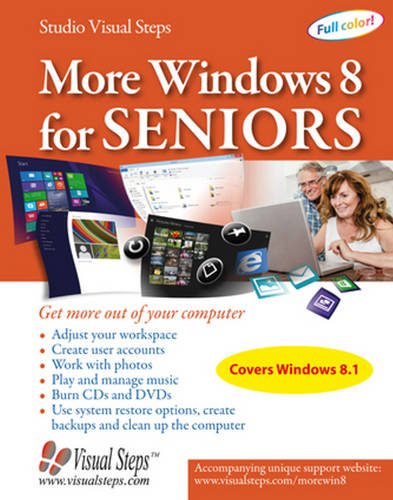
More Windows 8 for Seniors is highly recommended for everyone who wants to get the most out of their Windows 8.1 computer! If you want to learn more about Windows 8.1 and gain in-depth knowledge of this operating system, this is the ideal book for you. In this book you will learn how to order files, and create and use libraries, among other things. You will also learn how to create and manage user accounts. It can come in handy to have multiple user accounts, if your computer is used by more than one person.Are you interested in photo editing and managing your music? With the Photos app and the Windows Live Photo Gallery program you can easily edit your photos, and with Windows Media Player you can manage your music. After you have transferred your CD collection to the computer, you can create playlists with all your favorite songs, and play them on your computer. In this book you can also read more about burning files to CD or DVD, and about computer maintenance. For instance, you can clean up and optimize your hard drive, which will make the computer work more efficiently. Finally, you will also learn how to create restore points and a backup.
More Windows 8 for Seniors is highly recommended for everyone who wants to get the most out of their Windows 8.1 computer!
Learn how to:
- Adjust your workspace
- Create user accounts
- Work with photos
- Play and manage music
- Burn CDs and DVDs
- Use system restore options, create backups and clean up the computer
Windows 8.1 on a desktop computer or laptop
"synopsis" may belong to another edition of this title.
About the Author
Studio Visual Steps is a team of experienced professionals dedicated to producing useful and informative technology titles. The authors work together on the development of Visual Steps books along with a team of editors. The name Studio Visual Steps stands for the excellent quality found in every Visual Steps product. Whether that is a book, booklet or software guide, you can be sure that they are always written and constructed according to the Visual Steps Method.
The Visual Steps Method (or Visual Steps concept) distinguishes itself in a number of ways from traditional instructional methods. Attention is made to the special needs and requirements of the mature individual. Take a closer look at some of the features of the Visual Steps Method.
Each product:
- Allows you to start right away learning in a friendly, fun, hands-on manner.
- Uses a larger print format that is easier on the eyes.
- Contains easy to understand, visually oriented, step-by-step instructions.
- Has an extensive use of screen shots and illustrations.
- Features practical, useful information, tips and helpful hints.
- Offers special help topics for do-it-yourself error correcting.
- Includes follow-up exercises to reinforce your new skills and increase your confidence.
- Offers an extensive index.
"About this title" may belong to another edition of this title.
Search results for More Windows 8 for Seniors: Get More Out of Your Computer...

Stock Image
More Windows 8 for Seniors: Get More Out of Your Computer (Computer Books for Seniors series)
Published by
Visual Steps Publishing, 2014
ISBN 10: 9059050797
ISBN 13: 9789059050792
Used
Paperback
Seller: ThriftBooks-Dallas, Dallas, TX, U.S.A.
Seller rating 5 out of 5 stars

Paperback. Condition: Very Good. No Jacket. May have limited writing in cover pages. Pages are unmarked. ~ ThriftBooks: Read More, Spend Less. Seller Inventory # G9059050797I4N00
Stock Image
More Windows 8 for Seniors: Get More Out of Your Computer (Computer Books for Seniors series)
Published by
Visual Steps Publishing, 2014
ISBN 10: 9059050797
ISBN 13: 9789059050792
Used
Paperback
Seller: ThriftBooks-Atlanta, AUSTELL, GA, U.S.A.
Seller rating 5 out of 5 stars
Paperback. Condition: Good. No Jacket. Pages can have notes/highlighting. Spine may show signs of wear. ~ ThriftBooks: Read More, Spend Less. Seller Inventory # G9059050797I3N00
Stock Image
More Windows 8 for Seniors: Get More Out of Your Computer (Comput
Published by
Visual Steps Publishing, 2014
ISBN 10: 9059050797
ISBN 13: 9789059050792
Used
Softcover
Seller: Hawking Books, Edgewood, TX, U.S.A.
Seller rating 5 out of 5 stars
Condition: Good. Ex-library book with usual markings. Meets or exceeds the good condition guidelines. Nice copy. Five star seller - Buy with confidence! Seller Inventory # X9059050797X3