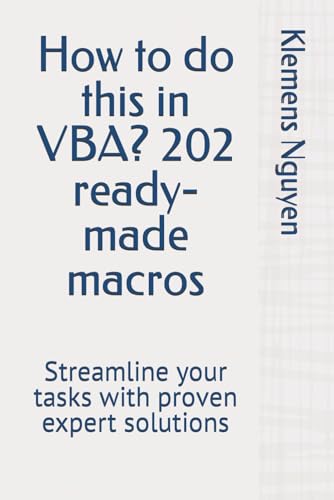
How to do this in VBA? 202 ready-made macros: Streamline your tasks with proven expert solutions
Nguyen, Klemens
ISBN 13: 9798320142555
Published by Independently published, 2024
Used
Soft cover
From
GreatBookPrices, Columbia, MD, U.S.A.
Seller rating 5 out of 5 stars

AbeBooks Seller since April 6, 2009
This specific copy is no longer available. Here are our closest matches for How to do this in VBA? 202 ready-made macros: Streamline your tasks with proven expert solutions by Nguyen, Klemens.
About this Item
Description:
Unread book in perfect condition. Seller Inventory # 47534204
Synopsis:
In this book you can find:
- over 202 ready to use macros,
- VBA listings,
- no theory - only practical examples,
- most frequently searched macro topics on Google.
Block comment; Bold text in Excel; Bold text in Word; Break code; Break for loop; Break line; Break line in MsgBox; Break out of loop; Break while loop
Call a function; Call a sub; Check if a sheet exists; Close a workbook; Close a workbook; Comment multiple lines; Concatenate; Convert column number to letter; Convert number stored as text to number; Convert number to letter; Convert string to number; Convert string to text; Convert string yyyymmdd to date, Convert xls to xlsx; Copy and paste; Create a JSON file; Create xml file
Declare a variable, Declare array; Delete a file; Delete a row; Delete a sheet; Delete columns; Deselect in Excel; Deselect in Word; Dim; Dim array; Dim range; Dim text; Dim variable; Dim worksheet; Display a message
Excel VBA loop through alphabet, Exponent, Extract year from date in Excel Vba
Filter, Filter a column; Filter a table; Find Excel; Find and replace; Find date; Find duplicates; Find error; Find error code; Find function; Find last column; Find last row; Find string; For loop; Format date; Format text; Freeze panes
Get cell value; Get current time; Get current year; Get date; Get file name; Get last row; Get length of array; Get month; Get month and year from date; Get remainder; Get sheet name; Get substring; Get the value of a cell; Get time; Get today's date; Get username; Get value from key in dictionary VBA 124; Get workbook name; Get year; Get yesterday date
Hide columns; Hide rows; Hide sheet; Highlight a cell; Hyperlink
If Else; If statement; If Error; Include quotes in a string; Index; Index Match; Input; Insert
Join function; Jump; Jump to a line
Keep leading zeros
Load user form, Lock cells, Loop, Loop code; Loop through a column; Loop through a range; Loop through an array; Loop through rows; Loop through sheets
Name a chart; Name a column; Name a file; Name a new workbook; Name a range; Name a shape; Name a sheet; Name a workbook; Name active workbook; Number value excel VBA;
Offset a range; Offset active cell; Open a csv file; Open a folder; Open a new workbook; Open a text file in Excel; Open a user form; Open a Word document; Open a workbook; Open Excel; Open hyperlink; Open xlsx file
Parse Json; Parse XML; Paste range; Paste special; Paste values; Pause; Press Enter key; Print; Print a variable; Print an array
Quit Excel application
Reading data from a cell; Read text file; Read XML file in excel VBA; Redim an array; Refresh all queries Excel; Refresh Pivot Table; Refresh power query; Refresh query table; Remove double quotes from string; Remove duplicates; Remove filter; Rename a file; Rename a sheet; Return a value from a function; Round up; Run a query in Access VBA; Run JavaScript; Run SQL query; Run update query in Access VBA
Save as; Save file; Save workbook; Save XLSM file; Save XLSM file as XLSX; Save XLSX file; Select a cell; Select a sheet; Sendkeys VBA; Set a cell value; Set a range; Set row height in Excel VBA; Sgn; Split a string
Text to columns; TEXTJOIN; Throw error; Transpose an array; Trim Excel; Trim string; Try-catch; Turn off screen updating
Underline; Unfilter; Unhide sheet; Unmerge cells; Unprotect Excel sheet; Unselect; Use between; Use Dim, Use Dim function; Use e; Use Excel function; Use find; Use immediate window; Use Json converter; Use MsgBox Yes No; Use Or; Use VLOOKUP; Use XLDOWN;
VBA ^ operator; VBA AscW
Wait Excel; Worksheet function; Wrap text; Write a text file; Write write to a cell
XLOOKUP
Unlock Excel's potential: Get your VBA macros eBook now!
"About this title" may belong to another edition of this title.
Bibliographic Details
Title: How to do this in VBA? 202 ready-made macros...
Publisher: Independently published
Publication Date: 2024
Binding: Soft cover
Condition: As New
Top Search Results from the AbeBooks Marketplace

Stock Image
How to do this in VBA? 202 ready-made macros: Streamline your tasks with proven expert solutions (VBA & macros)
Print on DemandSeller: California Books, Miami, FL, U.S.A.
Seller rating 5 out of 5 stars
Condition: New. Print on Demand. Seller Inventory # I-9798320142555